Your Claude Code accounts. One history.
Switch between your personal and work Claude accounts without losing the conversation. Baton keeps one history per project, and any of your accounts can pick it up in Terminal or the desktop app.
v1.0.0 · Apple silicon · Changelog
The problem
Sound familiar?
Each Claude account keeps its own history. Yesterday's session on one account doesn't exist on the other, so you start over and explain the whole project again.
-
Sign out. Sign in. Repeat.
The Claude desktop app holds one account at a time. Switching means signing out and back in, several times a day.
-
Copy, paste, summarise.
You ask one account to summarise the session, paste it into the other, and lose half the detail on the way.
-
Which account was that on?
You can't remember which account had the chat you need. The files live in folders like this one, and moving them by hand feels like a good way to lose them.
You already have the right accounts. What's missing is one place for each project's history, so whichever account you open can pick it up.
With Baton
One history per project. Any of your accounts can continue it.
Transcripts stay where Claude Code already keeps them. You choose which accounts can open each project, and each account gets its own desktop app.
Without Baton
One desktop app, one account at a time. Sign out to switch.
With Baton
A desktop app per account, open side by side, each signed in once.
How it works
Set it up once. Then it's one click.
-
Add your accounts
Your current Claude Code sign-in becomes account 1, and Baton never writes to it. Each account you add gets its own folder, like
~/.claude-work. You sign in to it yourself, once, with Claude Code's own login.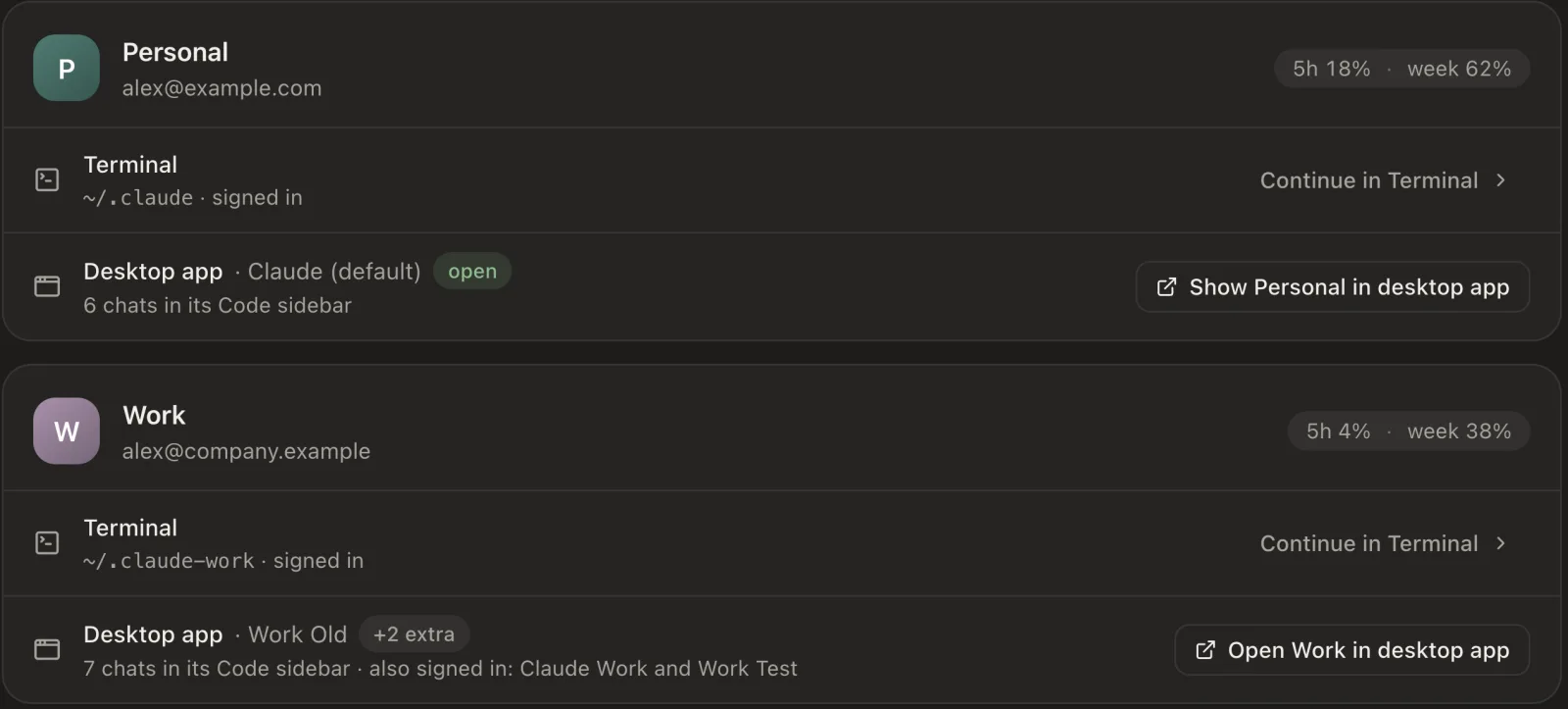
-
Choose which projects each account can continue
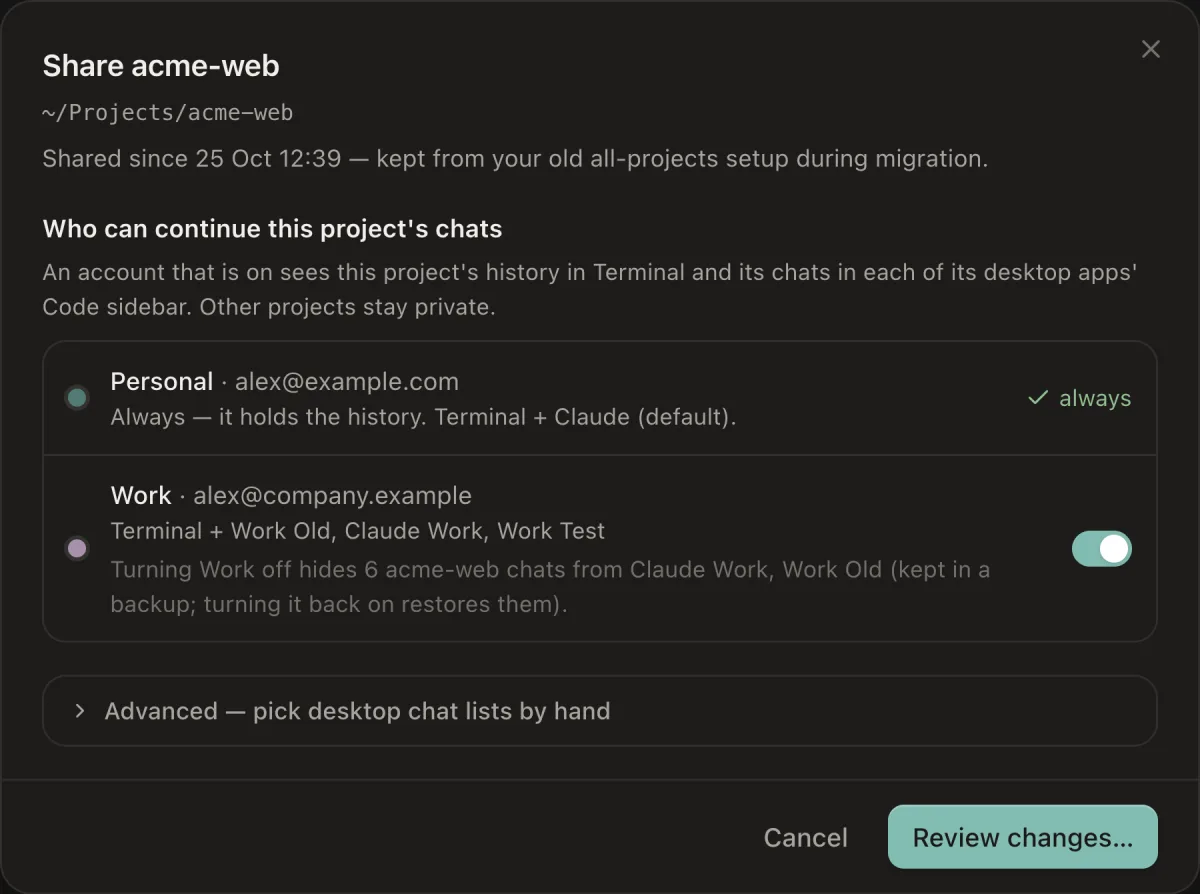
Nothing is shared until you say so. Turn Work on for acme-web and Work can pick up its sessions, while your other projects stay private. Baton shows you every file it will change before it changes anything.
-
Pick an account from the menu bar and continue
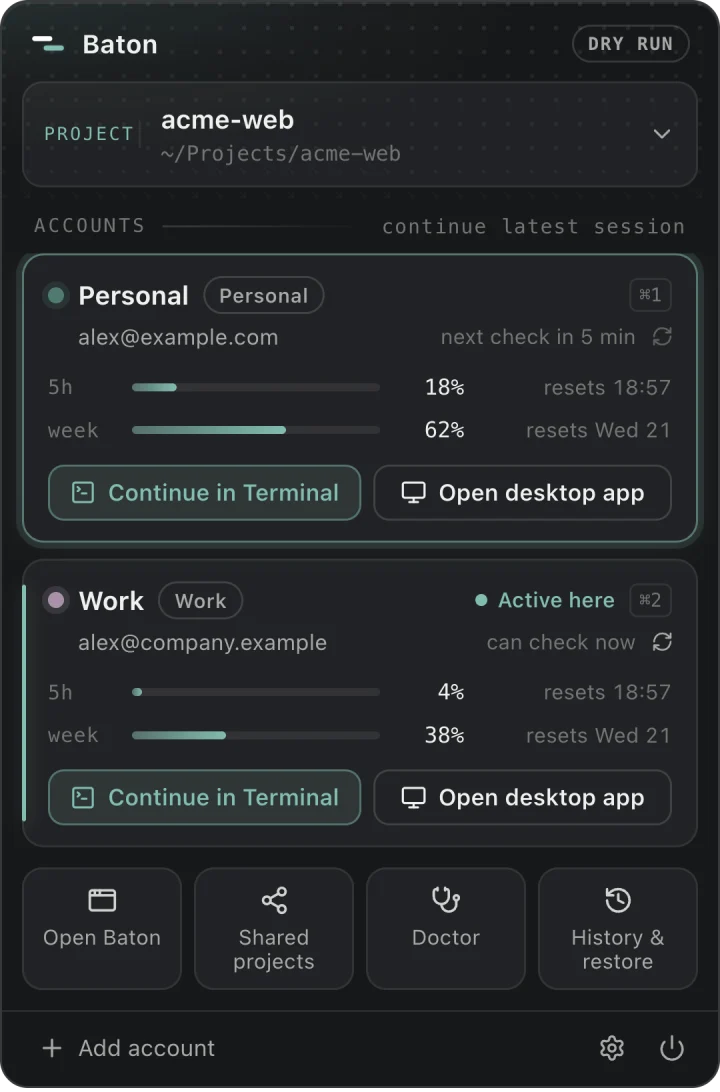
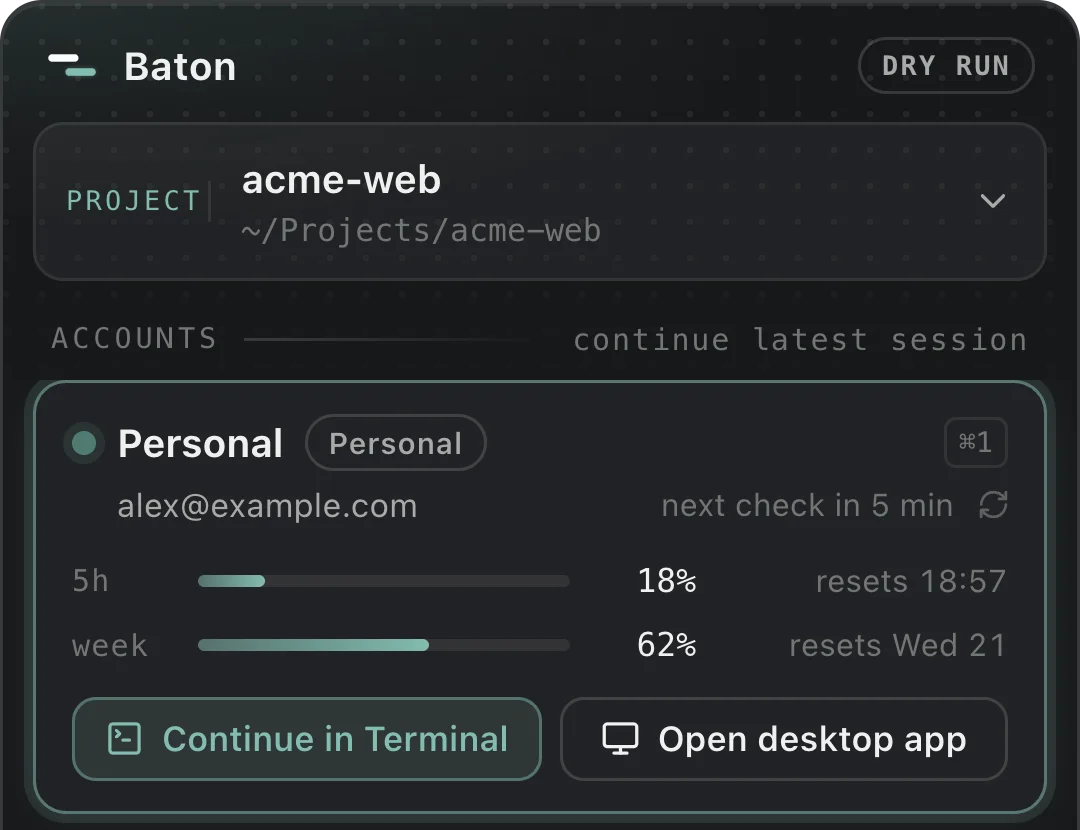
Choose the project, then the account. Continue in Terminal picks up the latest session with its full history. Open desktop app shows the same chats in that account's own Claude app.
37 seconds
See it hand off.
Sessions
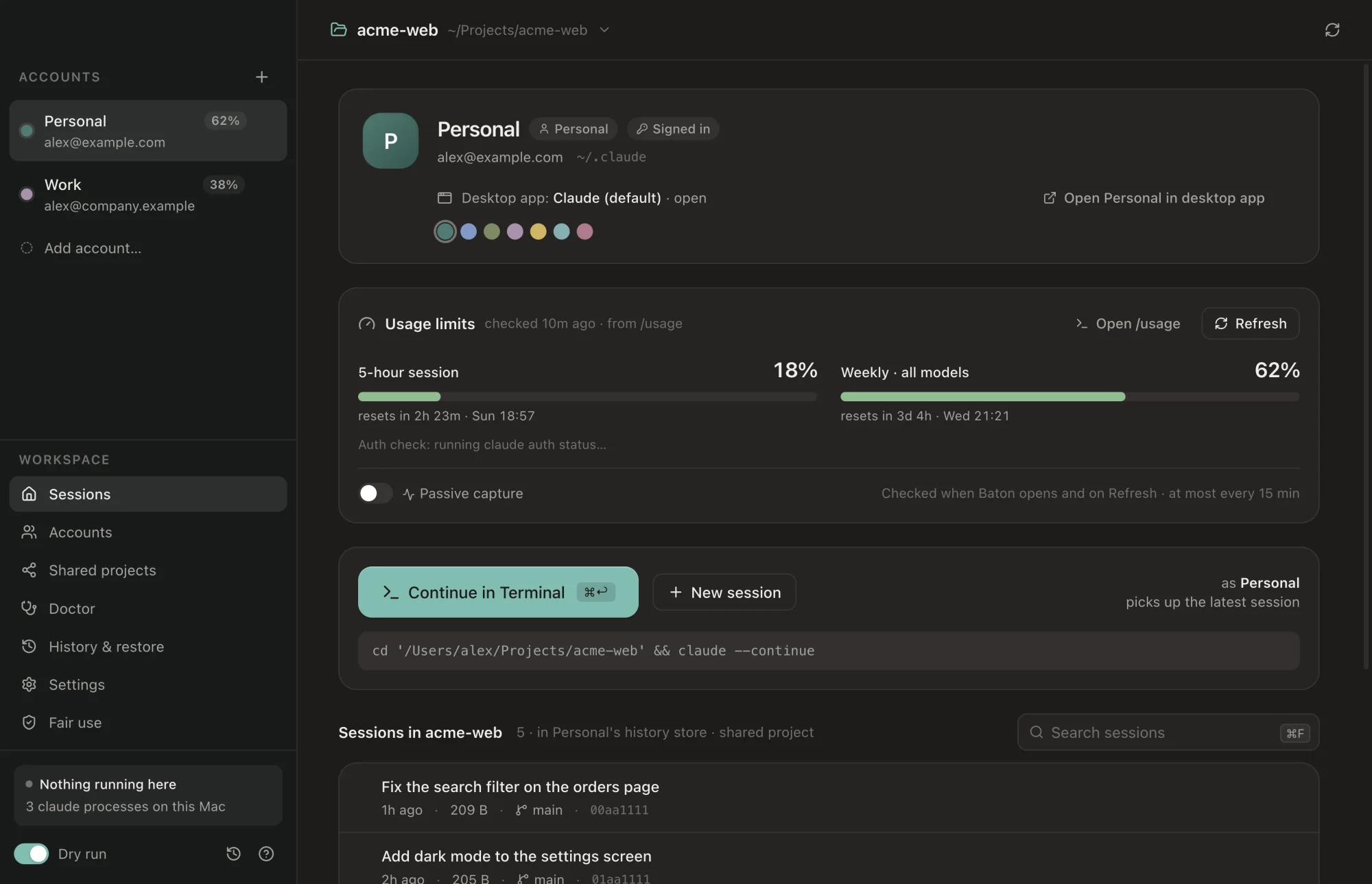
Every session, in one list.
See a project's sessions with time, size and git branch. Resume any of them as any account you've allowed.
Desktop apps
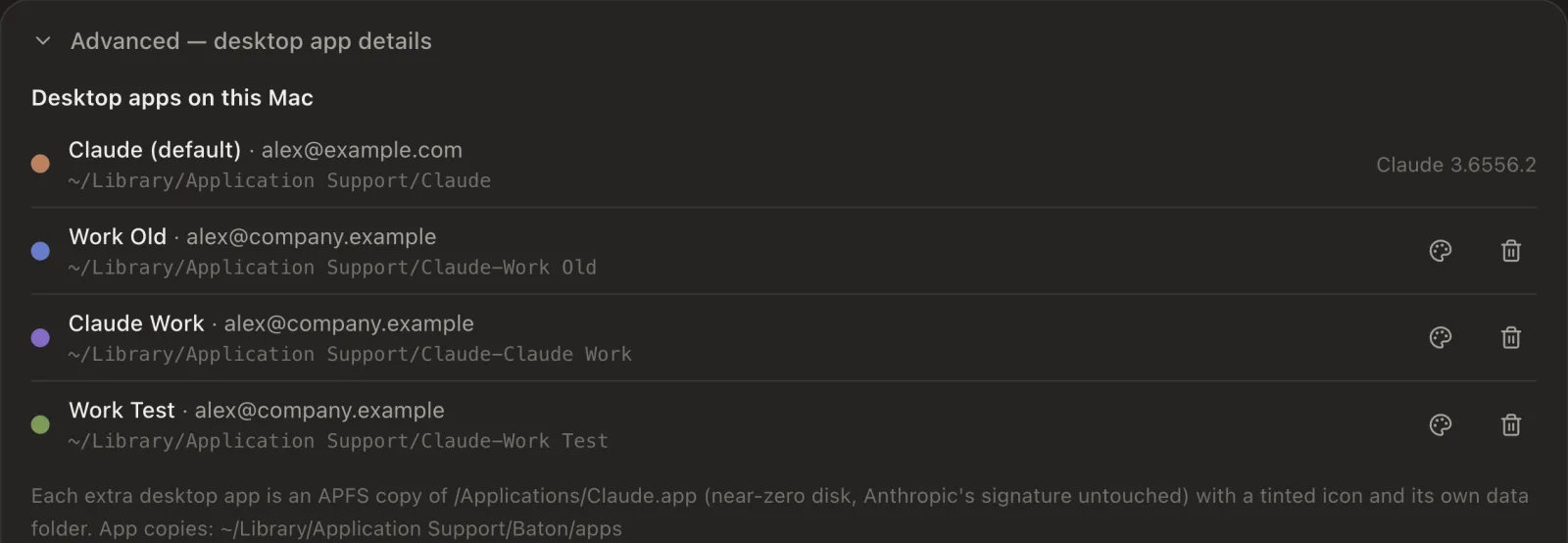
A desktop app for each account.
Each extra account gets its own copy of the Claude desktop app, with a tinted icon and its own data folder. Keep them open side by side and stop signing out.
History & restore
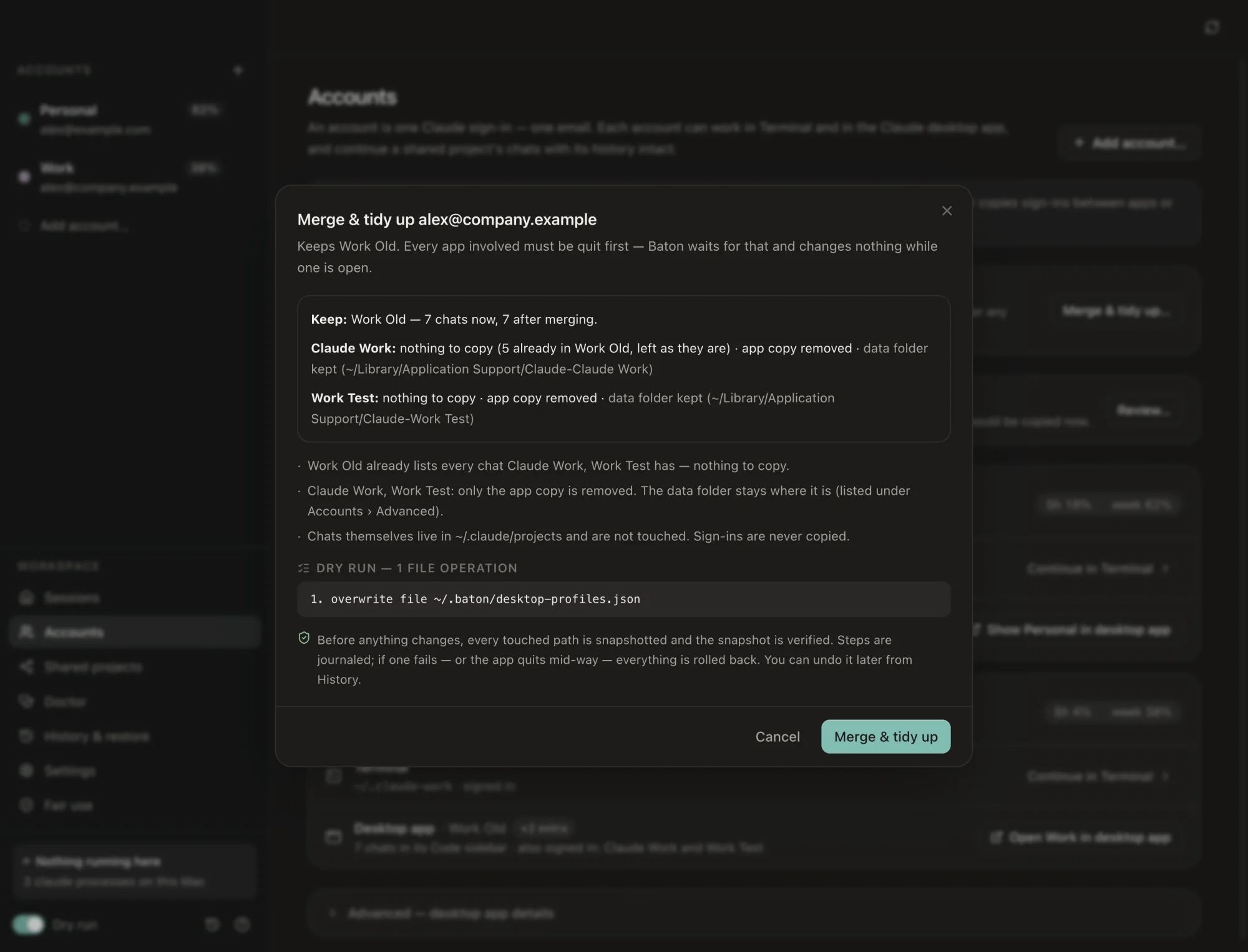
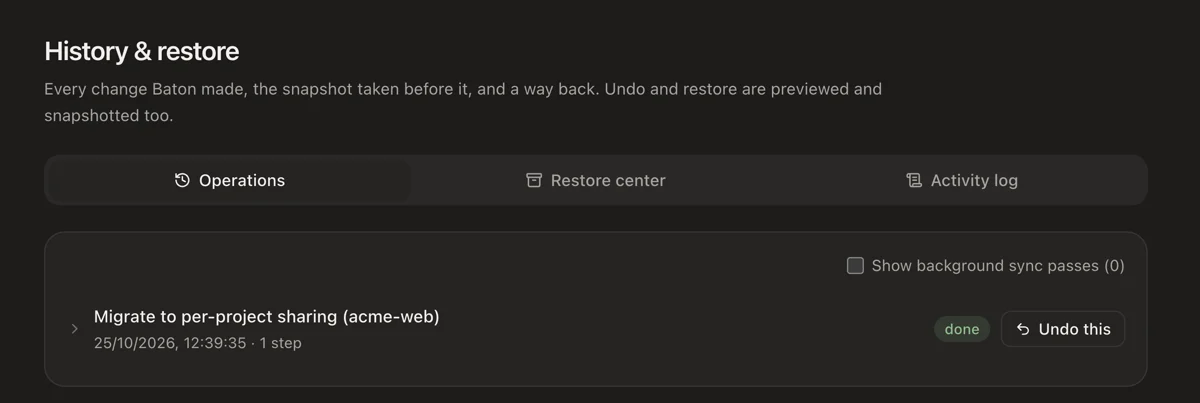
Nothing is ever lost.
Every change is previewed file by file, backed up to a verified snapshot, and one click from undone.
Who it's for
One person, more than one Claude account.
-
Developers with a personal and a work account
Side projects on your own plan, company code on the account your employer gives you, and one place to see both.
-
Freelancers with a client's seat
A client gave you an account for their work. Keep their code on their account, keep yours on yours, and still find last week's session.
-
People who use Terminal and the desktop app
Baton works with Claude Code in Terminal and in the desktop app's Code tab, so a shared project's chats show up in both.
Baton isn't for sharing an account with someone else, or for collecting personal plans to get more usage. Read the fair-use rules.
Safety
Careful with your files, on purpose.
Your chat history is the one thing you can't get back, so Baton treats it that way.
What it touches
- One link per shared project, inside the extra account's folder, such as
~/.claude-work/projects. - The chat-list files of each desktop app copy, so shared projects show up in its Code tab.
- Its own folder,
~/.baton, for backups, the journal and settings. - An account's status line setting, only if you turn on live usage for that account.
What it never does
- Read your login tokens or the Keychain.
- Write anything inside
~/.claude, your first account. - Delete or overwrite a transcript.
- Modify Claude Code or
/Applications/Claude.app. - Send anything off your Mac. No servers, no telemetry.
How you undo it
- Preview first. Every change lists its exact file operations before you apply it.
- Verified backup. Each path is snapshotted, and the snapshot checked, before anything is written.
- Automatic rollback if any step fails.
- One-click Undo for every operation in History & restore. Nothing is deleted: removed items go to a backup or the macOS Trash.
Open source, MIT licensed.Read the code on GitHubSecurity policy
Fair use
For one person and their own accounts.
Baton organises work across accounts you already have. It doesn't change what any plan allows, and it isn't a way to get more usage.
Do
- Use it with your own accounts, on your own Mac.
- Use the right account for the right work: company code on work, side projects on personal.
- Follow your employer's policy on which accounts and tools you may use.
Don't
- Share an account with other people, or use someone else's.
- Rotate several personal plans to get around usage limits.
- Continue with another account after one is suspended or banned.
- Resell access or run Baton as a service for others.
Usage Policy Consumer Terms Claude Code legal and compliance Baton's full fair-use text
Is this allowed by Anthropic?
Baton is built for one person using their own accounts, like a personal plan and the account your employer gives you. It signs in only through Claude Code's and the Claude app's own sign-in, and it never shares or copies a sign-in.
Don't use it to share an account, to rotate personal plans past their limits, or to keep working after an account is suspended. Anthropic's Usage Policy and Consumer Terms are what count, so read them. This isn't legal advice.
Does Baton read my Claude login or tokens?
No. Baton never reads, copies or stores credentials, and never touches the Keychain. To label your accounts it reads only non-secret fields: the email, the account id and the plan type. You sign in to each account yourself, in Claude Code or the Claude app.
Can it lose my chats?
Baton never deletes or overwrites a transcript. Every change is shown to you first, backed up to a snapshot that is checked before anything is written, and rolled back automatically if a step fails. Every operation has a one-click Undo.
Does it change Claude?
No. Baton runs the official claude command and the official desktop app, unmodified. Each extra desktop app is a byte-identical copy of Claude.app with Anthropic's signature intact, started with its own data folder. Only its Finder icon is tinted so you can tell them apart.
What happens when I turn sharing off?
That account can no longer continue the project in Terminal, and the project's chats are hidden from that account's desktop app by moving them into a backup. Turn sharing back on and they come back. The transcripts themselves are never touched, and your first account always sees everything.
Does it work with the Claude desktop app, or only Terminal?
Both. Continue a project in Terminal with Claude Code, or open the same chats in that account's desktop app, in the Code tab. The first time Baton opens Terminal for you, macOS asks you to allow it. That's how it opens a window as the account you chose.
Can two accounts work on the same project at the same time?
Please don't. Two sessions writing to one history get mixed up. Before opening anything, Baton checks whether another account is still working in that project and warns you. It can show or quit the other one, and it asks first.
Can my company see chats in my work account?
It might. Work, Team and Enterprise accounts belong to your organisation, and its admins may be able to see what's in them. When you share a project into a work account, Baton tells you that before anything changes. Sharing from a work account into a personal one gets a note too, because it may move your employer's code. Check your company's policy.
Does Baton send any data anywhere?
No. There are no Baton servers and no telemetry. Your history stays on your Mac, and the source code is public so you can check.
Does it run on Windows, Linux or Intel Macs?
Not for now. Baton is a Mac app for Apple silicon. You need Claude Code installed; the Claude desktop app is optional.
Is it free?
Yes. Baton is free and open source under the MIT license, with no paid tier. If it saves you time, sponsoring on GitHub helps pay for its upkeep.
Is Baton made by Anthropic?
No. Baton is an independent open-source project. It isn't affiliated with or endorsed by Anthropic.
Pick up right where you left off.
Download, open the DMG, drag Baton to Applications.
Free forever. If it saves you time, sponsor the project.